
Generally, this issue is occurred due to website/ web portal required resources which are unable to load.
Issues like:
- Overlapping fonts
- Fields not visible
- Report loading
- UN-clickable panel or module
- Wrong representation
For the first level verification clear the browser’s cookies and caches, here are the steps:
- Open Google Chrome.
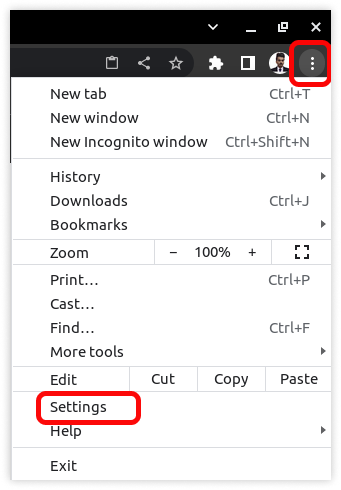
- Click on the three-dot menu icon in the top-right corner and select Settings.

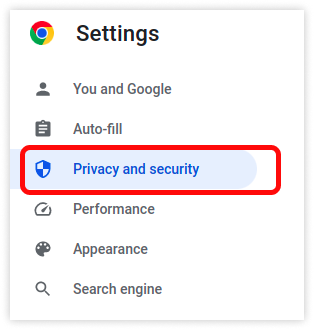
- Select Privacy and Security.
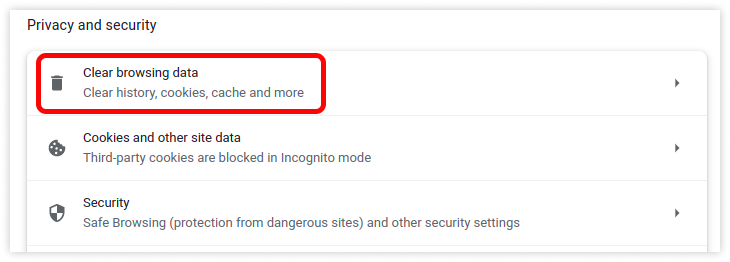
- Click on Clear browsing data.
- Select Privacy and Security.
-
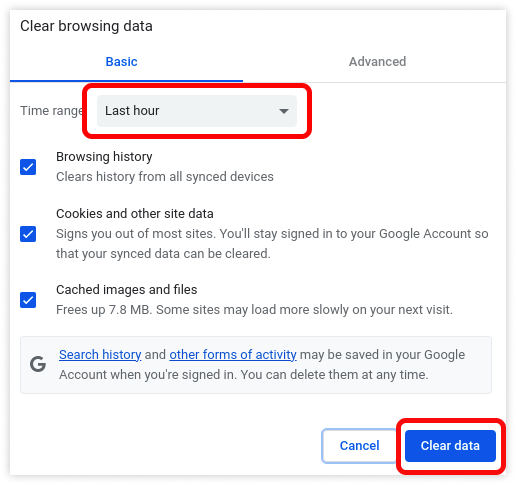
- Select the Time range as All time option from the drop-down list.
- Click on Clear data.
- Select the Time range as All time option from the drop-down list.
Also, you need to update the browser with the latest version.
If all the above troubleshooting steps are done and you are still facing the issue, kindly raise a ticket for support.
How to raise a ticket on support?