
The system enables to display the vehicles in a cluster format on a live tracking screen. This feature is particularly beneficial for fleet management, as it enhances the ability to locate and oversee assets and vehicles spread across various geographic locations.
- Login to the admin account
- Go to Settings > General > Reseller
- Double-click on the reseller account for which you want to set the vehicle to show in a cluster.
- Navigate to Rule.
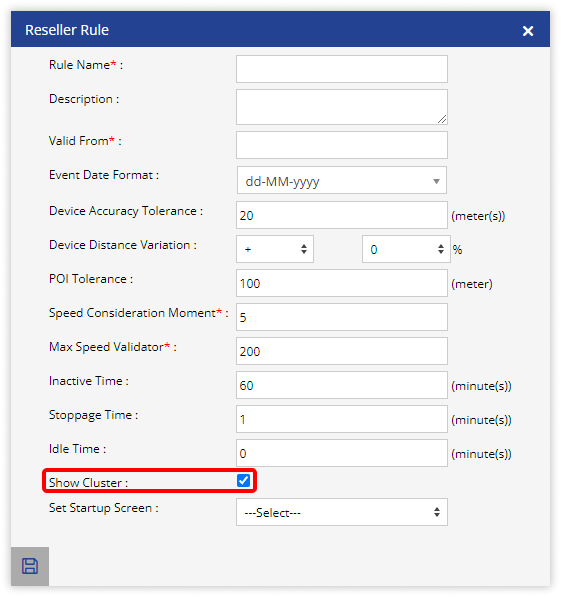
- Click on Add New. A new window labeled Reseller Rule will open.

- Select the checkbox labeled Show Cluster to activate the option for users to toggle the cluster view on the Live Tracking screen.
- Click on Save 💾 icon.