
Detailed reports are crucial because they provide thorough information, improve accuracy and credibility, support informed decision-making, identify patterns and trends, make it easier to evaluate and hold people accountable, allow for future reference and knowledge preservation, and encourage clear communication.
To enable and disable columns
- Login to your account.
- Go to Reports and select the report that needs to be modified
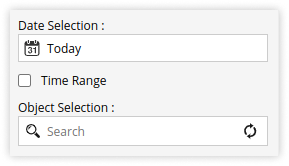
- Select the date and object.

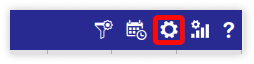
- Click on the settings icon
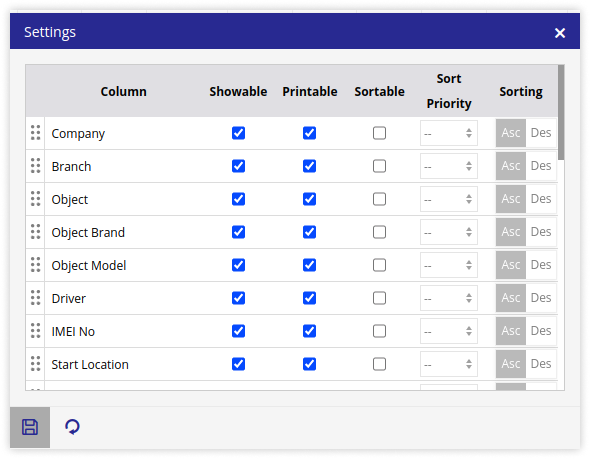
- Check mark – For the columns that need to be displayed.
Uncheck – For the columns that should not be displayed.
- Check mark – For the columns that need to be displayed.
- Click on the Save 💾 icon.
- Select the date and object.
If you have followed all the steps outlined above and are still experiencing difficulties making changes, please submit a support ticket for further assistance.
How to raise a ticket on support?