
The system allows the Admin user to provide Help Desk details on their account, enabling reseller users to easily seek assistance or address any queries.
- Login to your account.
- Go to Settings > General > Admin.
- Double-click on the account you want to add help desk details.
- Navigate to My Account.

Enter the help desk or the customer support team’s details in the mentioned fields.
- Contact Person: Provide the Name for the Helpdesk employee.
- Help Desk Telephone Number: Provide your landline number.
- Help Desk Email Address: Provide an email address that will be used for support by the reseller users.
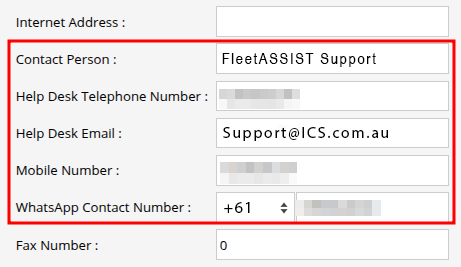
- Mobile Number: Provide your support mobile number.
- WhatsApp Contact Number: Provide a contact number with active WhatsApp.
- Click on Save 💾 icon.