
Please watch the video to learn how to install the ASSIST Lone Worker app to your phone (iOS and Android).
- Introduction To App Setup
Today we are going to learn how to download, log in and set up the Assist Lone Worker app.
- App Store Selection Instructions
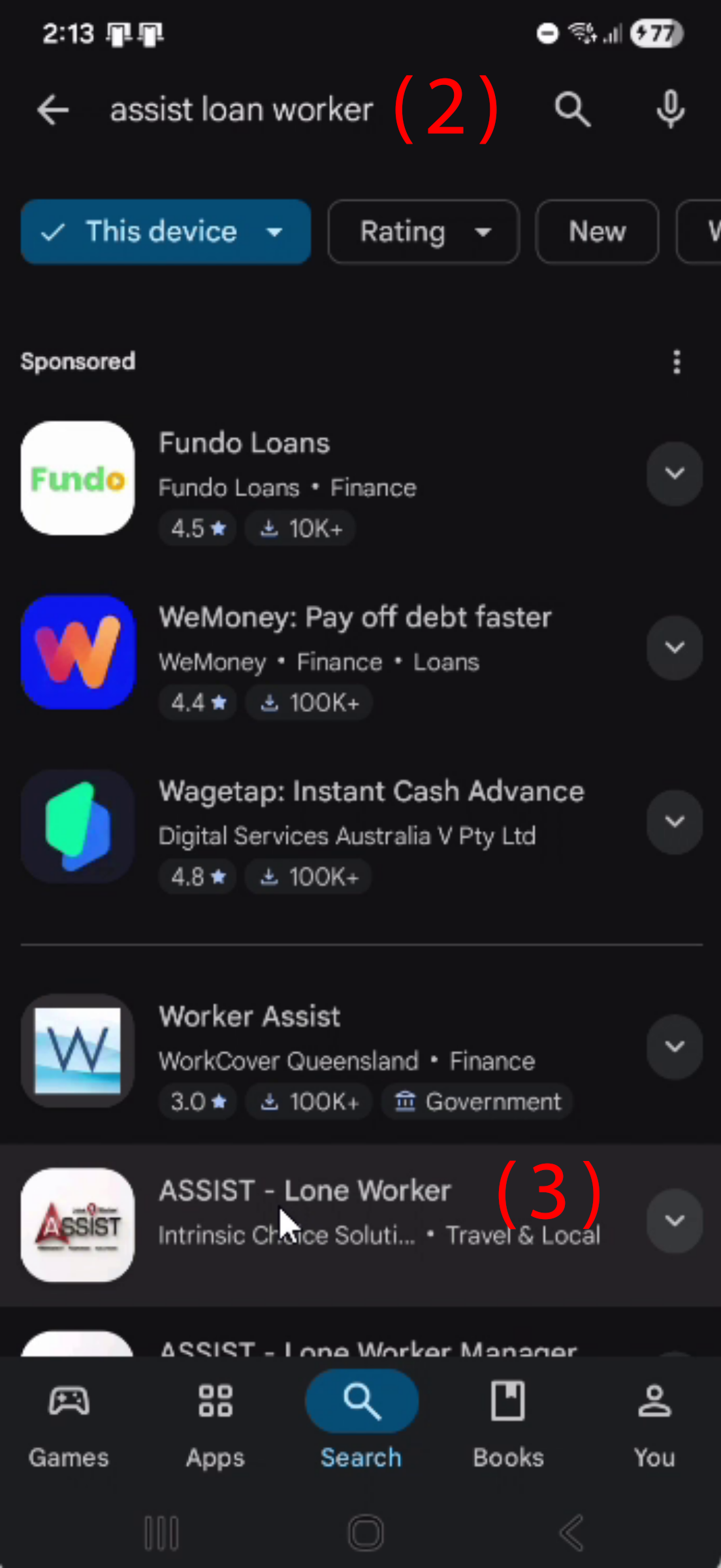
If you are on an Apple iPhone, you will need to use the App Store. If you are on an Android phone, you will need to use the Play Store. For today’s example, we will be using the Play Store (1). In the search bar (2), search for Assist Lone Worker (3).

- Install Assist Lone Worker App
Select Assist Lone Worker by Intrinsic Choice Solutions and press install.
- Open App and Choose Language
Once the download is complete, open the app. From here, we need to choose our language.

- Enter Mobile Number and Continue
Now enter your mobile number. Press continue.

- First Login Manager Approval
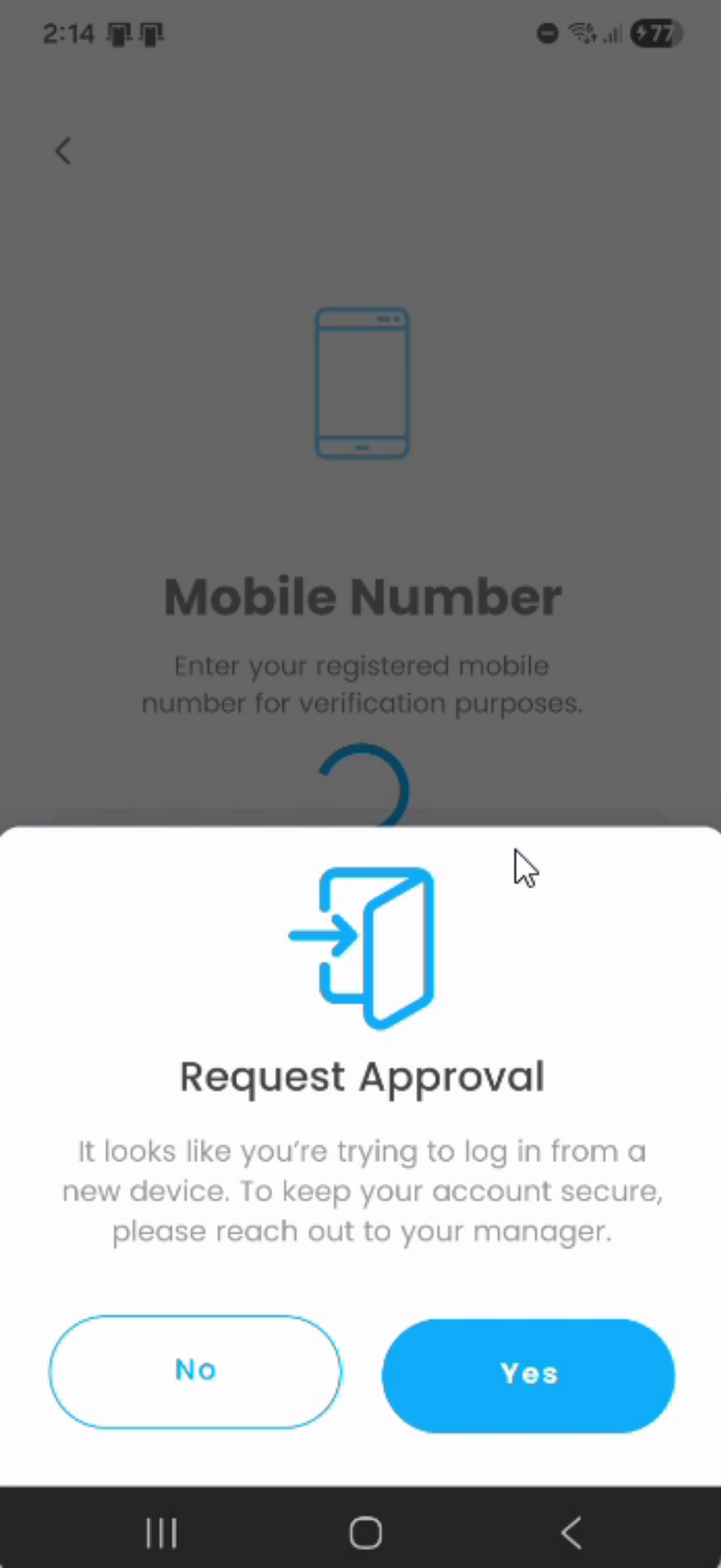
As this is your first time logging into the app, you will need to wait for manager approval. Press yes. Press OK.
- Post-Approval Login Steps
Once you have been approved by your manager, enter your mobile number and select continue.

- Enter Password and Login
Enter the password provided to you by your manager. And press login.

- Enable App Notifications
From here, allow the app to send you notifications.
